
Personalized Messaging in Rental Automation: Checklist
April 29, 2026 · 13 min read
Personalized Messaging in Rental Automation: Checklist
Automated personalized messaging can save time, improve customer interactions, and increase trust in rental services. Here's how it works and what you need to focus on:
- What It Does: Combines customer data with technology to send tailored messages, like booking confirmations, pickup reminders, and return instructions, without manual effort.
- Why It Matters: 72% of customer inquiries and 61% of maintenance requests are handled by AI systems, freeing up time for businesses to grow.
- Key Benefits: Ensures timely communication, builds trust, boosts positive reviews (which influence 90% of bookings), and scales operations effectively.
Steps for Success:
- System Integration: Ensure your tools (e.g., booking platforms, payment processors) work seamlessly together.
- Multi-Channel Setup: Use SMS for urgent updates and email for detailed instructions.
- Organized Data: Keep customer info (e.g., names, rental details, locations) accurate and up-to-date.
- Message Timing: Send messages at the right moments (e.g., booking confirmation, pre-pickup reminders).
- Compliance: Get explicit consent for communications and protect customer data.
By following these steps and using tools like [Lockii](https://www.lockii.app/), rental businesses can streamline processes, automate rental business operations, and reduce manual workload.
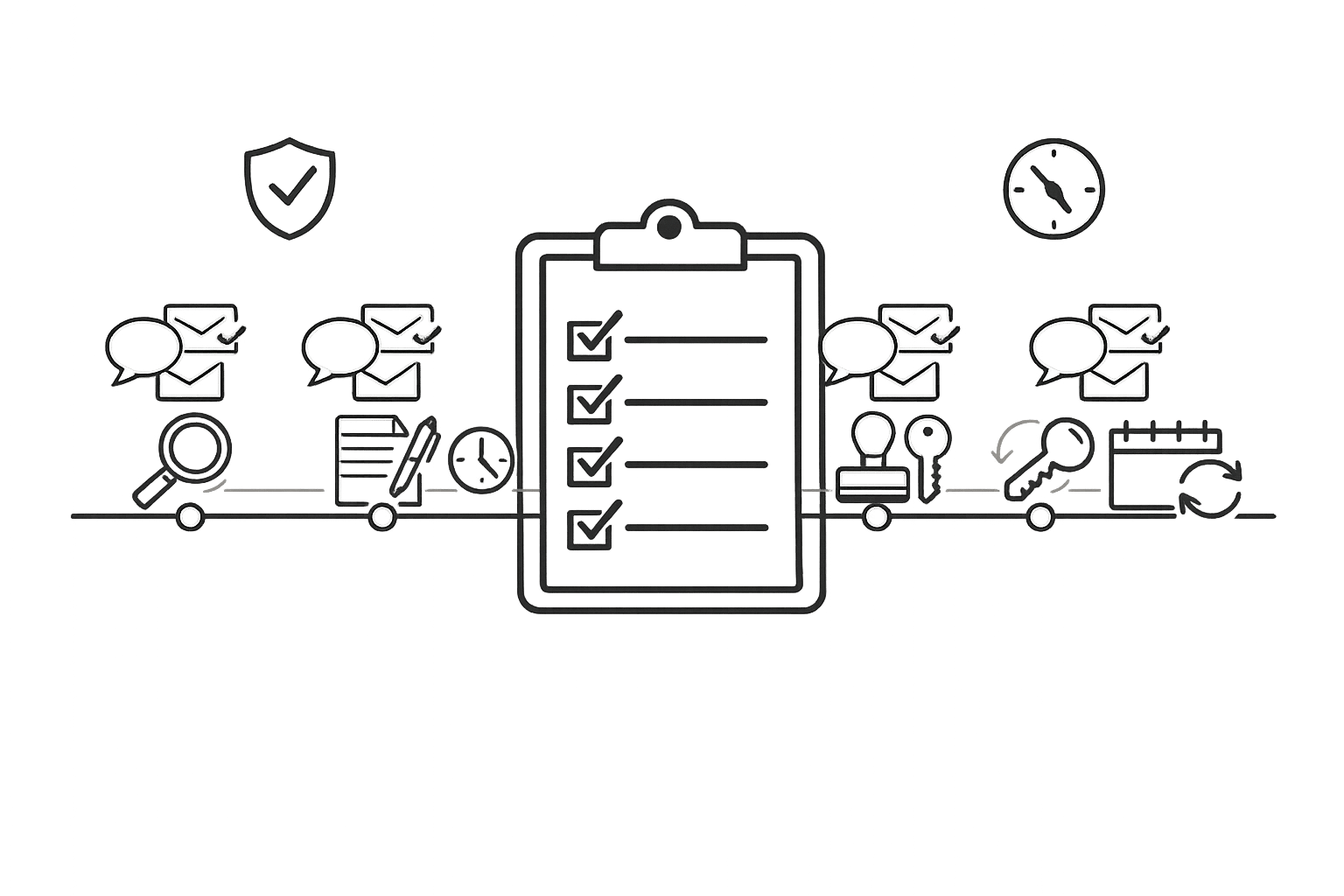
::: @figure 5-Step Checklist for Implementing Personalized Messaging in Rental Automation{5-Step Checklist for Implementing Personalized Messaging in Rental Automation} :::
These 5 automations will save your short-term rental
::: @iframe https://www.youtube.com/embed/YKFXtC1Oq2g :::
Pre-Implementation Checklist
Before diving into automated personalized messaging, it’s crucial to follow a rental business automation checklist to ensure your technical setup is in order and your customer data is well-organized. Skipping these steps can lead to workflow glitches and mismatched data, which can frustrate customers and derail your efforts. By laying a solid foundation, you’ll set your automation up for success right from the start.
Check System Integration Compatibility
First, make sure your rental management platform works smoothly with your messaging tools and payment processors. For example, Lockii integrates directly with services like Stripe for payments and Zapier for connecting additional apps. This creates a unified system where all customer data is stored and updated in one place. It also eliminates the need for manual data entry, reducing the risk of errors caused by mismatched or outdated information.
Before launching, thoroughly test all integrations. Confirm that booking details flow seamlessly into messaging templates, payment confirmations trigger follow-up messages, and customer data updates in real time. A broken integration discovered post-launch can lead to embarrassing issues, like customers receiving the wrong pickup times or missing essential rental instructions.
Enable Multi-Channel Messaging
Set up both SMS and email to cover different types of communication effectively. SMS is perfect for quick, time-sensitive updates like pickup reminders or access codes since it doesn’t require customers to log into an app or portal. On the other hand, email is better suited for detailed messages, such as rental agreements, instructions, or post-rental feedback requests.
With Lockii’s built-in SMS and email automation, you can schedule messages for key booking events: confirmation, 24 hours before pickup, during the rental, and after the return. Use data fields like the customer’s name, rental item, location, and pickup time to make each message feel personal and relevant.
Organize Customer Data Fields
Once your systems are integrated and multi-channel messaging is configured, focus on organizing your customer data. Ensure that your booking forms capture all critical information, such as the customer’s name, phone number, email, rental details, location, and timing. This helps avoid gaps in your personalized messages.
For businesses with multiple locations, double-check that details like addresses, access codes, and operating hours are accurately stored. This allows you to send messages like, “Hi Sarah, your bike rental at our Downtown Portland location is ready for pickup at 2:00 PM today,” instead of generic, impersonal notifications. Proper data organization ensures your messages are not only accurate but also engaging and customer-focused.
Customer Journey Messaging Checklist
Crafting messages for each stage of the rental process is key to building trust and ensuring a smooth customer experience. Anticipating questions and delivering the right information at the right time can make all the difference.
Booking Confirmation and Pre-Arrival Messages
Start with a confirmation email right after the booking. This email should thank the customer, confirm their rental details (dates, items, costs, and pickup location), and include a personalized touch by addressing them by name. Make it easy for them to access their reservation with a clear call-to-action like "View Your Booking."
A few days before the rental begins, send pre-arrival instructions. These should outline everything they need to know, such as pickup or delivery details, access codes, and any required preparations. For example, if someone is renting a trailer, include the pickup address, the digital lock code, and a reminder to bring their driver’s license. Don’t forget to include your support contact information so they know how to get help if needed.
Once the rental kicks off, keep the communication going with timely updates.
Active Rental Period Messages
During the rental period, send critical updates via SMS, such as access codes or emergency alerts, and use email for more detailed information like guides or manuals. A midway check-in is a great way to address potential issues before they escalate. If you offer rental extensions, an automated message toward the end of the rental period can encourage customers to extend their booking effortlessly.
With tools like Lockii, you can streamline this process. Lock codes, GPS tracking links, and digital instruction manuals can be sent directly to the customer’s phone. If self-service rentals and extensions are available, automated reminders can generate extra revenue without requiring additional effort on your part.
Finally, make the return process as seamless as possible to leave a lasting impression.
Return and Post-Rental Messages
As the rental period nears its end, send clear return instructions. These should include the drop-off location, steps for securing the rental, and any final tasks like uploading photos or completing a condition quiz. Lockii simplifies this by automating these steps - customers are prompted to upload photos and answer questions before closing out their rental. This ensures accountability and minimizes disputes.
After the return, follow up with a personalized thank-you message. Address the customer by name and mention the specific item they rented to add a personal touch. Include a direct link to a feedback survey or a simple 1-5 star rating system. If they give a 5-star rating, redirect them to leave a public review on platforms like Google or Facebook - positive reviews impact 90% of bookings [2]. For lower ratings, guide them to a private survey so you can resolve issues directly without risking public negative feedback.
To encourage repeat rentals, offer a small incentive like a discount code or a referral link. This not only shows appreciation but also keeps your business top of mind for their future needs.
Automation Rules and Triggers Checklist
Effective automation ensures messages reach customers exactly when they need them. The secret? Setting up a system that reacts to events and behaviors automatically, saving time and effort.
Set Up Event-Based Triggers
Design triggers around key moments in your rental process. For example:
- Booking Confirmation: Send an instant message after a reservation is completed. This reassures customers and sets a positive tone.
- Pre-Arrival: A few days before pickup, send access codes, location details, and preparation instructions.
- During the Rental: Schedule a "morning after pickup" check-in to address any early concerns. Offer rental extensions 24 hours before the end date.
- Return Day: On the morning of the due date, send drop-off instructions.
- Post-Rental: Request feedback 24–48 hours after the return while the experience is still fresh.
With tools like Lockii, many of these triggers run on autopilot. For instance, after a booking, the system sends confirmation details immediately. As the pickup date approaches, it delivers automated access solutions and GPS tracking links. At the end of the rental, it prompts users to upload photos and complete condition checks. Once your triggers are set, focus on refining the timing of your messages.
Plan Message Timing
Timing is everything when it comes to automation. Well-timed messages are helpful, while poorly timed ones can feel like spam. Here’s how to get it right:
- Send critical details on the day they’re needed. For example, deliver lock codes the morning of the pickup.
- Space out your messages to avoid overwhelming customers. If you send a thank-you after the return, wait a day before sending a feedback survey.
- For follow-ups like unsigned agreements or unpaid invoices, use a sequence: an initial request, a reminder after 48 hours, and a final notice if unresolved.
Fine-tune your timing even further by incorporating conditional logic.
Add Conditional Logic
Not every customer needs the same communication. Use "if-then" rules to personalize messages based on rental type, history, or other factors:
- First-Time Renters: Send detailed safety guides.
- Repeat Customers: Provide streamlined updates or loyalty perks.
- Special Rentals: For heavy equipment, schedule a mid-period maintenance check-in. For event furniture, share setup tips.
- Location-Specific Needs: Offer weather-dependent instructions or direct customers to the nearest drop-off point.
Also, respect how customers prefer to communicate. Use SMS for urgent alerts like "Return due in 1 hour" and email for documents like rental agreements.
Andrew Smallwood, Chief Strategy Officer at Second Nature, says, "Better tenant communication doesn't just take work off of your team's plates - it also improves tenant satisfaction" [5].
The same concept applies here. Smart triggers and tailored logic not only lighten your workload but also create a smoother, more enjoyable experience for your customers. By blending these strategies with personalized messaging, you can consistently improve the rental process for everyone involved.
Compliance and Data Privacy Checklist
Automated messaging can be a huge time-saver, but it also comes with legal responsibilities. In the U.S., the Telephone Consumer Protection Act (TCPA) oversees automated texts and emails. Violating this law can cost you $500 per message, with penalties climbing to $1,500 per message for willful violations - and that's just the beginning if you're messaging a large contact list [6]. Beyond avoiding fines, staying compliant helps you maintain customer trust and deliver the smooth experience that rental automation promises. Here's a checklist to keep your messaging legally sound.
Get Customer Communication Consent
Before sending marketing messages, you must secure explicit, documented consent. Just because you have a customer's phone number or email doesn’t mean you’re in the clear.
Casey Langford from Sakari explains: "You cannot text someone for marketing purposes without their explicit consent. 'We've done business before' doesn't count. 'They gave us their phone number' doesn't count. You need documented consent specifically for text messages" [6].
To ensure compliance, use double opt-in methods like text-to-join keywords or web forms with unchecked boxes. Keep a record of consent details - including the method, date, time, and language - for at least four years [6]. Organize your contact lists to separate those who’ve agreed to receive marketing messages from those who’ve only consented to transactional updates, like booking confirmations. Once you’ve secured consent, make data protection your next priority.
Protect Customer Data
Never send sensitive information - like payment details or ID numbers - over standard SMS. Regulations such as GDPR and CCPA impose steep penalties for data breaches, with GDPR fines reaching €20 million or 4% of annual turnover and CCPA penalties going up to $7,500 per data point [7]. Use platforms with end-to-end encryption and partner with secure payment processors like Stripe for handling transactions [1]. For example, Lockii integrates with Stripe to keep payment data secure and away from messaging channels.
Make sure encryption is always enabled, and securely store customer data. If you’re managing identity verification, rely on tools that validate customers without exposing raw sensitive documents.
Allow Easy Unsubscribe Options
Every promotional message must include simple opt-out instructions, such as "STOP", "UNSUBSCRIBE", or "CANCEL" [6]. Automate the opt-out process so customers receive immediate confirmation once they unsubscribe. While transactional messages like booking confirmations or return reminders have fewer restrictions, they still need to clearly identify your business (e.g., "\ABC Rentals] Your booking is confirmed") [[6].
Regularly review your message templates to ensure they include your business name and opt-out instructions for all promotional campaigns. A compliant messaging platform should automatically block messages to contacts without documented consent and prevent promotional texts that lack opt-out language like "Reply STOP to opt out" [6].
Performance Tracking and Improvement Checklist
To maximize the effectiveness of automated messaging, it's essential to measure performance regularly. By generating useful insights from your data, you can refine templates and improve booking rates.
Monitor Key Metrics
The first step is to keep an eye on your response rate, which measures the percentage of messages answered within 24 hours. Aiming to respond to initial inquiries within 1 hour can significantly improve booking conversions [4].
Another important metric is the balance between automated messages and manual interventions. For example, Hostaway’s 2024 data shows that users automated 92% of review requests and 59% of check-in messages [4]. Automation tools can take care of up to 70% of guest messages, saving considerable time [4]. Compare how many hours you spend on communication weekly before and after fine-tuning your automation rules.
| Metric | Target/Benchmark | Impact Area | | --- | --- | --- | | Response Rate | 90%+ within 24 hours [4] | Platform Status / Search Ranking | | Automation Rate | Up to 70% [4] | Operational Efficiency | | Time Saved | 60+ hours/month [4] | Labor Costs / Scalability | | Inquiry Response Time | Under 1 hour [4] | Booking Conversion | | Review Automation | ~92% [4] | Reputation Management |
Review Customer Feedback
Tracking metrics is just the beginning - customer feedback plays a critical role in refining your messaging. Automated messages should feel personal rather than mechanical. Encourage feedback by including a call-to-action in post-rental or follow-up messages, such as a link to a quick survey. If your platform includes customer ratings, pay close attention to scores for categories like "Communication" and "Check-in", which are directly tied to messaging quality [4].
A/B testing can also help you optimize your approach. Experiment with different subject lines, message content, or delivery times. For instance, test whether sending a pickup reminder 24 hours before a rental is more effective than sending it 48 hours in advance. Monitor open rates, click-through rates, and conversion rates to identify which messages need improvement. To maintain a personal touch, use dynamic fields to customize messages [4].
Adjust Automation Rules
Insights from metrics and feedback should guide updates to your automation workflows. If you notice high vacancy rates or low booking conversions, consider tweaking your marketing triggers or adding promotions to automated campaigns [8]. Use adjusted occupancy metrics - excluding maintenance or owner-blocked nights - to ensure "Active Rental Period" messages are sent accurately [9].
Set benchmarks for each metric to know when updates are needed. For example, if your response rate dips below 90%, review how inquiries are being routed. If guests report confusion over pickup instructions, revise your templates right away. Regularly review automation rules - ideally every quarter - to ensure they align with your business goals and customer expectations. Adjust for seasonal trends and local demand to stay ahead of potential challenges [8].
Conclusion
Personalized messaging transforms rental automation into a tool for improving customer satisfaction. When implemented effectively, it ensures renters receive timely and relevant updates - whether it’s a booking confirmation, pickup instructions, or a mid-rental check-in. With strong integrations and adherence to data compliance standards, these messages create a seamless customer journey. This kind of responsiveness not only builds trust but also shows that every customer interaction matters, even in the absence of on-site staff. This is a key component of a contactless rental process.
Automation can manage up to 70% of customer inquiries without requiring manual input [4], offering scalability without adding to staff or overhead costs. Tools like Lockii (https://lockii.app) enable this by combining SMS and email automation with user-friendly self-service features, making contactless operations more efficient.
Consistent and well-crafted communication enhances your business's reputation, directly influencing 90% of bookings [2]. Regardless of the volume of rentals or timing, every customer benefits from the same high standard of messaging.
The benefits of personalized automation extend beyond operational efficiency. For example, post-rental messages can include loyalty program details, referral incentives, or personalized promotions [2][3]. These follow-ups keep your business in the customer’s mind and encourage repeat bookings without requiring additional manual effort. Platforms like Lockii demonstrate how automated, personalized messaging not only addresses current operational demands but also lays the groundwork for sustained growth through efficient and scalable contactless solutions.
FAQs
::: faq
What customer data do I need to personalize rental messages?
To craft rental messages that feel personal and engaging, start by collecting essential customer details. This includes the guest's name, their booking information, preferences for their stay, and any special requests or questions they’ve shared. Having this data allows you to customize your communication in a way that aligns with their needs, creating a more enjoyable and memorable experience. :::
::: faq
How do I choose between SMS and email for each rental update?
Use SMS for _time-sensitive updates_ such as arrival instructions, last-minute changes, or urgent matters. SMS ensures fast delivery and typically garners quicker responses. For instance, you can use it to inform customers about check-in codes or unexpected delays.
On the other hand, email works best for _less urgent communication_ like thank-you messages, review requests, or detailed instructions. It accommodates longer content and allows recipients to read it at their convenience. :::
::: faq
How can I stay TCPA-compliant with automated texts?
To follow TCPA rules, make sure you have _explicit, documented consent_ from customers before sending them marketing texts. This means customers must actively opt in, and their agreement must be clear and easy to verify. Avoid sending messages they didn’t ask for, keep detailed records of their consent, and act quickly on any opt-out requests. Since the TCPA bans marketing texts without prior approval, keeping thorough documentation is essential to stay compliant. :::